CRM Automation: Workflows That Stop Leads Slipping Through
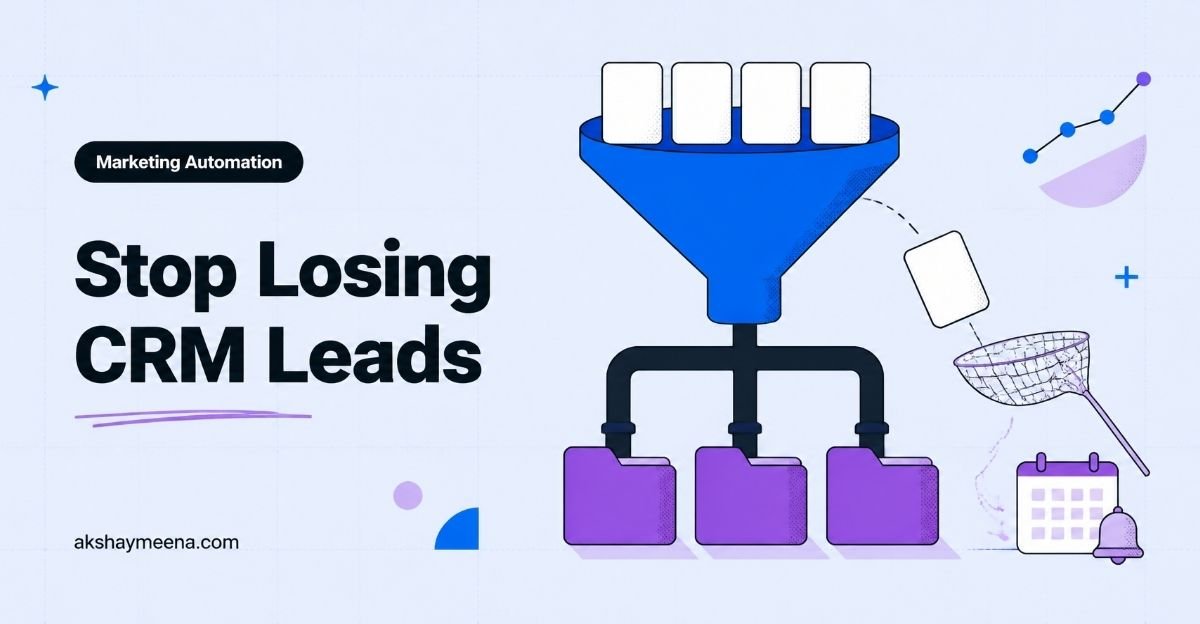
Most B2B brands I work with don’t have a lead problem. They have a follow-up problem. A form gets filled on a Friday evening, the notification lands in a shared inbox, and by Tuesday nobody remembers who was supposed to call.
That’s the gap CRM automation closes. When your CRM routes, reminds and records on its own, leads stop slipping through the cracks and your sales team spends its time on conversations instead of admin.
In this guide I’ll walk you through the exact workflows I set up first, how I design them so they don’t break, and how to pick between tools like HubSpot and Zoho without overspending.
TL;DR
- CRM automation means rules inside your CRM that act when something happens, like a new lead, a stage change or a missed task.
- Start with five workflows: lead capture, lead routing, speed to first touch, stale deal alerts and post-sale handover.
- Design each workflow on paper first: trigger, conditions, action, owner and exit rule.
- Pick the tool your team will actually open every day, then automate one workflow at a time.
What is CRM automation?
CRM automation is the use of rules inside a customer relationship management system to do repeat sales and marketing tasks without a person clicking a button. A trigger, such as a new form entry or a deal stage change, starts an action: assign an owner, create a task, send a message or update a field.
Think of it as the operating rhythm of your pipeline written down as rules. Your team still sells. The CRM makes sure the next step always exists, has an owner and has a due date.
CRM automation meaning in plain words
If you’re asking about the CRM automation meaning, here’s how I explain it to founders: anything your team does the same way more than ten times a week is a candidate. Copying lead details from a form, assigning by region, chasing a quote that went quiet. Those are rules, and rules belong in software.
Why do leads slip through the cracks?
Leads slip because handoffs depend on memory. Every time a lead moves from marketing to sales, or from one rep to another, there’s a moment where nobody clearly owns it.
In my audits I usually find the same four leaks:
- No single entry point. Leads arrive by website form, WhatsApp, LinkedIn and events, and only some reach the CRM.
- Vague ownership. A lead is “with the team” instead of with one named person.
- Slow first touch. The enquiry waits hours or days for a reply, and the buyer has already spoken to someone else.
- Silent stalls. A deal sits in the same pipeline stage for weeks and nobody gets an alert.
Notice that none of these are about bad salespeople. They’re system gaps. That’s good news, because systems are easy to fix.
The five CRM automation workflows I set up first
The first five workflows I build cover capture, routing, first touch, stalls and handover. Together they close most of the leaks above, and you can set them up in a week on almost any modern CRM.
1. Lead capture into one place
Every source should create or update a contact in the CRM automatically. Website forms connect natively in most tools. For channels like WhatsApp, I use an integration so each new chat creates a contact with the source recorded. I covered that side in my guide to WhatsApp automation for lead capture and follow-ups.
Two rules matter here: deduplicate by email or phone, and always fill a “lead source” field. Without the source, you can’t judge which channel is worth the money.
2. Lead routing that names one owner
Lead routing assigns every new lead to one person based on clear rules. Common rules are region, company size, product interest or a simple round robin. The key is that the assignment happens in seconds and the owner gets notified right away.
I also add a fallback. If the assigned rep doesn’t accept or act within a set window, the lead moves to a team lead. That one rule saves more deals than any fancy scoring model.
3. Speed to first touch
Once a lead has an owner, the CRM creates a call or reply task due the same working day. A short acknowledgement message can go out instantly so the buyer knows a real person will follow up. Then the rep personalises the next touch.
I keep the automatic part short and honest. Buyers can tell when a long “personal” message was written by a machine.
4. Stale deal alerts
Every pipeline stage should have an expected time limit. If a deal stays in “Proposal sent” longer than that, the CRM creates a task for the owner and flags it in the weekly pipeline view. Tools like Pipedrive’s workflow automation make these time-based triggers simple to set up.
5. Post-sale handover
When a deal is marked won, the CRM should notify delivery or onboarding, create the kickoff task and copy key details across. This is where many teams lose the goodwill they just earned, because the client repeats everything they told sales.
| Workflow | Trigger | Main action | Leak it fixes |
|---|---|---|---|
| Lead capture | Form, chat or event entry | Create or update contact with source | Leads that never reach the CRM |
| Lead routing | New contact created | Assign one owner and notify | Vague ownership |
| First touch | Owner assigned | Same-day task plus short acknowledgement | Slow replies |
| Stale deal alert | Time in stage exceeds limit | Task for owner and manager flag | Silent stalls |
| Post-sale handover | Deal marked won | Notify delivery and create kickoff task | Lost context after the sale |
How do you design a CRM automation workflow?
You design a CRM automation workflow by writing five things before you touch the tool: the trigger, the conditions, the action, the owner and the exit rule. If you can’t write those in one line each, the workflow isn’t ready.
Here’s the template I use for CRM automation workflow design with clients:
- Trigger: what event starts it? Example: a new contact with lead source “Website demo form”.
- Conditions: who is included or excluded? Example: company size above a threshold, country is India.
- Action: what happens? Example: assign to the regional rep, create a call task due today.
- Owner: which person is responsible for the workflow itself, not just the lead?
- Exit rule: when does a contact leave the workflow? Example: a meeting is booked or the lead is marked unqualified.
The exit rule is the one people forget. Without it, a buyer who already booked a call keeps getting chased, and that looks careless.
A worked example: demo request to booked meeting
Say a marketing head from a manufacturing company requests a demo on your website. Here’s how a clean flow handles it:
- The form creates a contact and a deal in the “New” stage, with lead source filled.
- Routing checks the region field and assigns the deal to the North India rep.
- The rep gets an instant notification and a call task due within the working day.
- The contact gets a short message confirming the request and sharing the rep’s name.
- If the task isn’t completed by end of day, the sales manager is alerted.
- Once a meeting is booked, the deal moves to “Meeting set” and all reminder steps stop.
Nothing here is clever. It’s just reliable, and reliable beats clever every time in sales operations.
Which CRM automation tools should you choose?
Choose the CRM automation tool your team will open every day, that connects to your main lead sources, and whose automation features fit your budget tier. For most B2B brands I work with, that shortlist is HubSpot, Zoho CRM or Pipedrive.
I’m opinionated here: the best tool is the one with the least friction for your reps. A powerful CRM that nobody updates is worse than a simple one everyone trusts.
| Tool | Where it shines | What to watch |
|---|---|---|
| HubSpot | Marketing and sales in one place, visual workflow builder | Advanced workflows sit in higher paid tiers |
| Zoho CRM | Flexible rules and good value for growing teams | Setup takes more care to keep it simple |
| Pipedrive | Pipeline-first view that sales reps like using | Marketing features are lighter than an all-in-one suite |
Whichever you pick, read the vendor’s own documentation before building. HubSpot’s guide on how to create workflows is a good example of how triggers, enrollment and actions fit together.
When do you need an integration layer?
You need a tool like Make or Zapier when a lead source has no native connection to your CRM, or when one event must update several apps at once. I use them for WhatsApp, ad lead forms and spreadsheets that teams still refuse to give up.
Where does AI fit into CRM automation?
AI fits into CRM automation where judgement on messy text is needed: summarising call notes, classifying enquiry intent and drafting a first reply for the rep to edit. Rules still handle the routing and reminders, because rules are predictable.
I wrote more about what AI can and can’t do for teams in my post on AI agents for marketing teams. My short version: let AI suggest, let rules decide, and let humans sell.
Common CRM automation mistakes I see
The most common CRM automation mistakes are automating a broken process, building too many workflows at once and never reviewing them. Each one quietly erodes trust in the CRM.
- Automating chaos. If your pipeline stages aren’t clearly defined, automation just moves confusion faster.
- Workflow sprawl. Twenty overlapping workflows send duplicate tasks, and reps start ignoring all of them.
- No naming rules. Name every workflow by trigger and goal so anyone can find it later.
- Robotic messages. Over-automated outreach hurts your brand more than a slower human reply.
- Set and forget. Review your workflows every quarter. Sources, teams and offers change.
If you’re building your pipeline from scratch, it helps to fix the top of the funnel at the same time. My B2B lead generation strategy guide covers the channels and offers that feed these workflows.
A one-week plan to launch CRM automation
You can launch useful CRM automation in one week by fixing data first, then adding one workflow per day. Small, tested steps beat a big launch that nobody understands.
- Day 1: clean duplicates, define pipeline stages and add a lead source field.
- Day 2: connect every lead source so contacts arrive automatically.
- Day 3: build routing with one owner per lead and a fallback rule.
- Day 4: add first-touch tasks and a short acknowledgement message.
- Day 5: set time limits per stage and switch on stale deal alerts.
- Day 6: build the won-deal handover to delivery.
- Day 7: test every path with dummy leads and fix what breaks.
When I set this up for clients, Day 7 always finds something. A missing field, a wrong region, a task assigned to someone who left. That’s the point of testing. If you want to compare notes on your own setup, connect with me on LinkedIn and tell me which workflow is giving you trouble.
Key takeaways
- CRM automation fixes system gaps, not people problems: capture, ownership, speed, stalls and handover.
- Write the trigger, conditions, action, owner and exit rule before you build anything.
- Routing with a fallback owner is the single most useful rule for most B2B teams.
- Use AI for summaries and drafts, and keep rules in charge of routing and reminders.
- Launch one workflow a day, test with dummy leads and review every quarter.
Frequently Asked Questions
What is CRM automation in simple terms?
CRM automation is a set of rules inside your CRM that do repeat tasks for you. When something happens, like a new lead or a deal stage change, the CRM assigns an owner, creates a task, sends a message or updates a field. Your team still sells, but the next step is never forgotten.
Which CRM workflows should I automate first?
Start with lead capture into one place, lead routing to a single owner, a same-day first-touch task, stale deal alerts and a won-deal handover. These five close the most common leaks in a B2B pipeline, and they work on HubSpot, Zoho CRM, Pipedrive and most other modern tools.
What is lead routing in a CRM?
Lead routing is the rule that decides who owns a new lead. It can use region, company size, product interest or round robin. Good routing assigns the lead in seconds, notifies the owner and includes a fallback, so the lead moves to a manager if the first owner does not act in time.
Is CRM automation the same as sales automation?
They overlap a lot. Sales automation focuses on tasks reps do, like follow-up reminders and deal updates. CRM automation is broader and also covers lead capture, data cleanup, marketing handoffs and post-sale onboarding. In practice, most sales automation runs inside the CRM, so the two terms are often used together.
Can AI replace CRM automation rules?
Not yet, and I would not want it to. AI is useful for summarising calls, classifying enquiries and drafting replies. Routing, reminders and stage changes need predictable rules that behave the same way every time. The best setup lets AI suggest, rules decide and people handle the actual selling.
How long does it take to set up CRM automation?
A focused team can launch the core workflows in about a week if the data is reasonably clean. I suggest one workflow per day: clean data, connect sources, routing, first touch, stale alerts, handover, then a full test day. Larger setups with many teams or regions take longer to design and test.
Build a pipeline that follows up for you
Leads don’t go cold because your team doesn’t care. They go cold because the system leaves gaps. Close those gaps with a handful of clear, tested workflows, and your CRM starts working like a teammate instead of a database.
If you’d like help mapping and building these workflows for your business, take a look at my AI automation services or get in touch with me and we’ll find your biggest leak first.

