Content Decay: How to Detect SEO Traffic Drops and Fix Them Fast
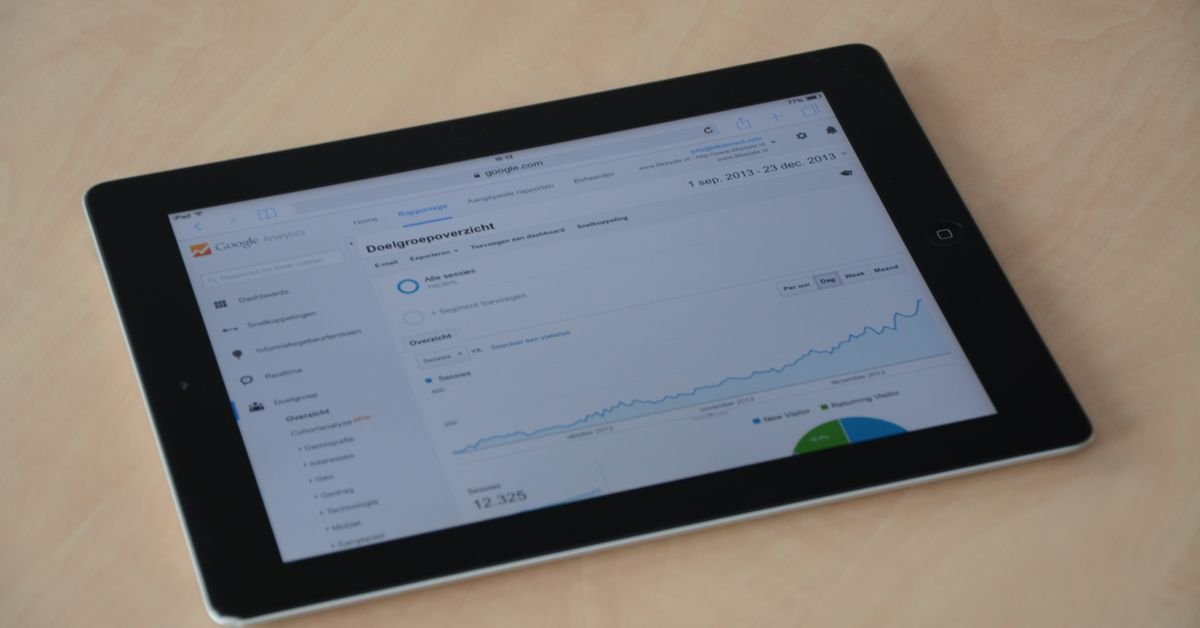
Have you noticed certain blog posts or landing pages slowly losing Google traffic, even though you haven’t changed a thing? That’s content decay in action. If left untreated, it can quietly erode your site’s best SEO assets, and your business impact along with them.
I’ve seen it firsthand managing large B2B and SaaS sites: even high-performing posts eventually decline, sometimes fast, sometimes painfully slow. But here’s the good news. You can catch content decay early, fix affected pages, and set up a workflow so it never sneaks up again. You just need the right process, which I’m laying out for you here, step by step.
TL;DR
- Content decay is a gradual drop in Google traffic and rankings due to aging or outperformed content.
- Spot decaying pages by tracking traffic and keyword trends with analytics and SEO tools, then prioritize by business value.
- Fix decay by refreshing content, updating outdated info, improving search intent match and optimizing SEO basics.
- Prevent future decay with a recurring content audit and update workflow, not just one-off fixes.
Understanding Content Decay
Content decay is the slow decline of organic Google traffic and search rankings to individual pages as their information gets outdated or competitors publish better content, but you can reverse it by auditing, refreshing and optimizing those pages.
What Is Content Decay?
Content decay means a web page’s organic traffic and keyword rankings drop over time, mainly because its information ages or competitors create stronger pages. It’s not a sitewide penalty, but a gradual slide of individual assets that used to perform well.
This usually shows up as a traffic drop on specific posts, guides or landing pages, sometimes after months, sometimes years. The reasons? Outdated facts, stale examples, or simply being overtaken by fresher, better-optimized competitors. I call it the “silent killer” of SEO campaigns.
Why Does Content Decay Happen?
Content decay happens for a handful of reasons, almost always tied to relevance and competition. Here are the most common causes I see:
- Outdated content or statistics that lose credibility
- Search intent shifts, so your old content no longer matches what users want
- New or updated competing pages that better answer the query
- Technical SEO issues like poor internal links or slow loading
- Loss of backlinks or topic authority over time
In short, if you set and forget web content, decay is inevitable. Google wants the best, freshest answer, period.
Signs Your Content Is Decaying
How do you know if content decay is hitting your site? Look for these red flags:
- Steady or sudden organic traffic decline to specific pages (not the whole site)
- Drop in keyword rankings for a URL compared to prior months
- Falling click-through rate from search results
- Outdated information or broken links when you view the content
- Higher bounce rate on affected pages
My tip: don’t just trust your gut, use analytics and ranking data to spot these trends objectively.
How to Identify Pages Losing Traffic Due to Content Decay
To find pages hit by content decay, review analytics and SEO tool data for traffic and rankings drops at the page level, then audit those URLs for outdated or underperforming content.
Using Analytics to Detect Traffic and Ranking Drops
My process always starts with data. Here’s how to pinpoint content decay using free and paid tools:
- Google Analytics: Compare organic traffic to each page over the past 6-12 months versus the previous period. Look for URLs showing sustained decline, not just seasonal dips.
- Google Search Console: In the “Performance” report, filter by page and review clicks and average position trends month over month.
- SEO tools (Ahrefs, SEMrush, etc.): Use their Site Explorer or Organic Pages report to spot URLs that have lost traffic or keyword rankings, and to see which queries are dropping.
I recommend exporting this data to a sheet and flagging any page with a 15-30%+ year-over-year traffic drop. It’s the fastest way to build your “at-risk” list.
Conducting a Content Audit Focused on Decay
Once you have candidate pages, dig deeper with a focused content audit. You’re looking for:
- Outdated information, images or statistics
- Thin content or missing subtopics (compared to top-ranking competitors)
- Technical issues like broken links or slow load speed
- Poor keyword targeting or missing search intent alignment
This is where you’ll spot why Google prefers newer results. I use my content audit and growth sprint method for this, which combines quantitative data with a qualitative review of on-page quality and topical coverage.
Prioritizing Pages for Refresh
Not all decaying pages are worth the same effort. I always prioritize using two axes: size of the traffic drop, and business impact (like lead generation or sales value). Here’s a simple scoring method I use:
| Page URL | Traffic Drop (%) | Business Value | Priority |
|---|---|---|---|
| /best-crm-software | -40% | High (leads) | Top |
| /project-management-checklist | -18% | Medium | Medium |
| /old-news-update | -55% | Low | Low |
This way, you invest your effort where it directly drives revenue or conversions.
Strategies to Fix Content Decay
To reverse content decay, update and optimize underperforming pages by refreshing information, matching current search intent, and improving SEO fundamentals.
Content Refresh Best Practices
I take a structured approach for every refresh, which saves time and increases the odds of a ranking comeback. Here’s my checklist:
- Check the top 3-5 ranking competitors for the target keyword, what do they cover that you don’t?
- Expand, reorganize or rewrite sections to fill content gaps
- Update screenshots, images and statistics to current year
- Improve formatting: add new headings, bullets, tables or FAQs
- Add or update internal links to and from closely related posts (see how content clusters drive topical authority)
- Refresh meta title and description for improved CTR
Don’t just tweak a paragraph. Treat each refresh like a mini relaunch. Google absolutely notices when you meaningfully improve a page.
Updating Outdated Information
Updating old content is more than changing a date. I always ask myself, “Would a brand-new visitor trust this info today?” If not, I:
- Replace outdated stats, links and product screenshots
- Add new industry developments, tools or standards
- Remove obsolete advice or discontinued features
For example, a SaaS pricing guide from 2021 is almost guaranteed to mislead now, so it needs a full update, not a patch job.
Enhancing Content to Match Current Search Intent
Search intent shifts constantly. Google’s top results for a keyword today might favor step-by-step guides; next quarter, they might pivot to checklists or fresh comparison tables. I always:
- Analyze the top-ranking pages’ format and angle
- Adjust my content’s structure, tone and depth to match
- Add new sections, FAQs or tools if that’s what users now expect
This isn’t copying competitors, but learning from the SERP to realign with what Google and users want now.
Leveraging Internal Linking and SEO Optimization
Content decay often accelerates if your page is isolated. I’ve seen big ranking wins just by:
- Adding internal links from fresh, related articles (like from a content cluster hub)
- Fixing broken outbound links and cleaning up technical SEO
- Optimizing on-page elements: headings, image ALT text, schema markup
Every refresh should include a technical pass for speed, mobile usability and crawlability. You’d be surprised how often a quick fix here lifts a page out of decay.
Preventing Future Content Decay
You can prevent content decay by building ongoing content maintenance into your SEO workflow, not treating it as a one-time fix.
Establishing a Content Maintenance Workflow
Don’t wait for traffic to tank before taking action. I recommend scheduling a quarterly or biannual content audit. Here’s the workflow I use with B2B clients:
- Monthly: Review top URLs for early traffic or ranking drops
- Quarterly: Run a full site content decay report (using methods above)
- Quarterly: Prioritize and schedule refreshes for high-impact pages
- Ongoing: Add content update tasks into your editorial calendar
This is the only sustainable way to keep your content fresh and trustworthy in Google’s eyes.
Monitoring Performance Regularly
I use automated alerts in Google Analytics and Search Console to flag traffic or ranking dips in real time, so I never miss a decaying page. Most SEO tools let you set up email notifications for significant drops in tracked keywords or URLs.
Regular performance monitoring prevents nasty surprises and lets you act before a minor decay becomes a disaster.
Balancing New Content Creation and Refresh
This is a big one: don’t let content decay crowd out new content creation, or vice versa. The right balance is usually 60% new, 40% refresh for most mature sites. For newer sites, you’ll focus more on building new assets, but even then, check for decay as soon as you have posts older than 12 months.
I lay out my full process for balancing content clusters vs. individual posts over here if you want a deeper dive.
Tools and Resources for Managing Content Decay
Several analytics and SEO tools make finding, fixing and tracking content decay much faster and more accurate.
SEO Tools for Tracking Traffic and Rankings
Here’s my short list of tools I actually use for content decay SEO work:
| Tool | Use Case | Free? |
|---|---|---|
| Google Analytics | Track organic traffic per page | Yes |
| Google Search Console | Monitor keyword positions and CTR | Yes |
| Ahrefs / SEMrush | Identify lost keywords and traffic | No |
Don’t have budget for paid tools? Google’s own platforms cover 80% of needs if you’re methodical.
For official documentation, see Google’s guide to Search Console performance data.
Content Audit Checklists
Here’s my quick checklist for a decay-focused audit session:
- Export organic traffic and ranking data for all pages (last 12 months)
- Flag pages with significant decline (15%+ drop)
- Review top competitors’ content for each decayed page
- Identify outdated info and missing subtopics
- Update, expand, reorganize or consolidate as needed
- Refresh internal links and technical SEO
Case Studies and Examples
Let me share a real example from my own work: A client’s SaaS comparison guide lost 45% of traffic in 8 months. My audit found outdated screenshots, missing new features, and thinner content than new top-ranking competitors. We rewrote 60% of the content, added a detailed feature comparison table and updated every stat. Within three months, rankings bounced back and organic leads actually improved by 15% over the previous peak.
You’ll find similar stories in my case studies section. And if you want to chat about your situation or see more examples, feel free to connect with me on LinkedIn.
Key Takeaways
- Content decay is a natural but preventable drop in SEO traffic and rankings for individual pages
- Catch it early by tracking traffic and ranking trends, then audit for outdated or thin content
- Prioritize pages to refresh based on traffic loss and business value, not gut feeling alone
- Refreshing, expanding and optimizing content reliably restores or even grows organic traffic
- A recurring maintenance workflow is essential for sustainable SEO results
Frequently Asked Questions
What causes content decay in SEO?
Content decay in SEO is usually caused by outdated information, shifting user intent, new or improved competitor pages, or technical SEO issues. If your content falls behind in relevance or depth, Google starts favoring fresher, more comprehensive results.
How do I find pages losing traffic due to content decay?
Check your Google Analytics and Search Console for pages with significant drops in organic traffic or keyword rankings over several months. Export this data, flag declining URLs and then review those pages for outdated or underperforming content.
What is the best way to refresh decaying content?
The best way to refresh decaying content is to update outdated facts, add missing subtopics, restructure the article for clarity, and optimize on-page SEO. Study current top-ranking competitors for format and intent, then make your content at least as useful and relevant.
How often should I perform content audits to prevent decay?
I recommend running a full content decay audit at least once every quarter for established sites, and a lighter monthly review for your top 10-20 traffic pages. Catching decay early makes recovery much easier and less costly.
Can updating old content improve Google rankings?
Yes, updating old content with fresh, authoritative information and better on-page SEO can restore or even improve your Google rankings. Google values up-to-date answers and rewards pages that are noticeably improved for users.
What tools help detect content decay?
Google Analytics, Google Search Console, and SEO platforms like Ahrefs and SEMrush are the main tools I use to find and track content decay. They show traffic and ranking drops at the page level and help identify root causes quickly.
How to balance fixing content decay with creating new content?
I suggest a 60:40 split for mature sites: 60% new content creation, 40% decaying content refresh. For newer sites, tilt more towards building new assets but still schedule audits for posts older than twelve months. Both are essential for SEO growth.
Ready to Stop Content Decay Before It Hurts?
If you’re seeing signs of content decay or just want a repeatable system for SEO content maintenance, let’s talk. My content audit and growth sprint service is built for brands that want lasting traffic gains, not just quick fixes. Reach out and I’ll help you build a content lifecycle that outpaces competitors and Google’s updates, every time.

